
Description
This audi q3 2012 2018 lcd cluster 10 25 digital instrument cluster listing is for 2012–2018 models. Review the fitment and feature details below, and ask us to confirm compatibility with your vehicle before ordering.
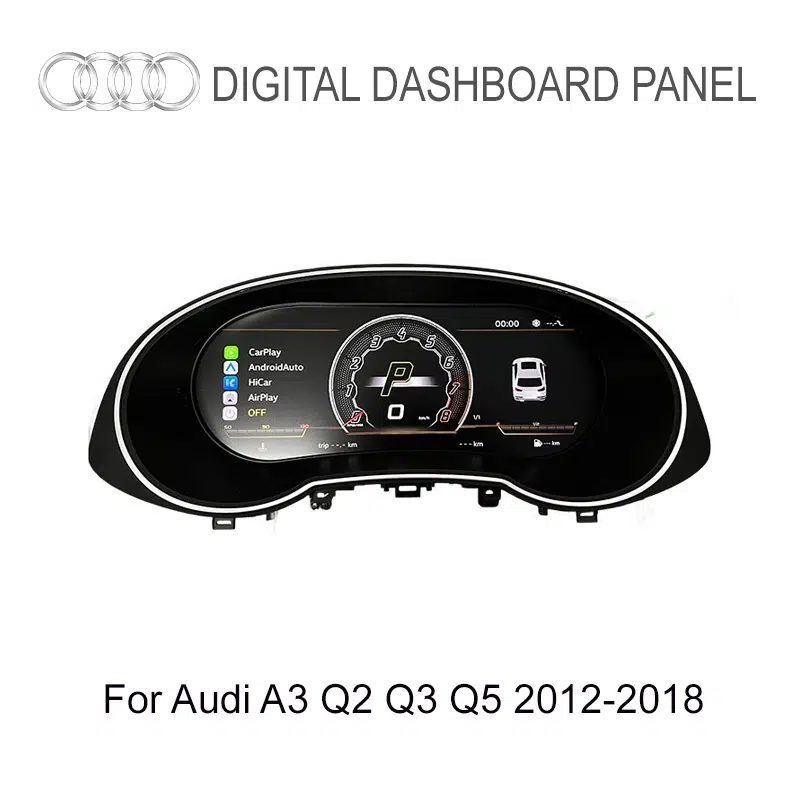
Audi Q3 8U 2012–2018 · 10.25-inch LCD Cluster
Audi Q3 2012-2018 LCD Cluster Upgrade for a Cleaner Digital Cockpit
Upgrade the first-generation Audi Q3 8U from an older analog-style gauge area to a sharper 10.25-inch digital driver display while keeping supported vehicle data and familiar steering-wheel interaction in front of the driver.
- Built around Audi Q3 8U 2012–2018 fitment
- 1920×720 IPS display with a 178° viewing angle
- Classic, Sport and full-screen navigation display modes
- Supported steering-wheel controls, driving data and warning information retained
10.25-inch IPS A clearer digital driver display.
1920×720 Sharper gauges, maps and vehicle data.
60Hz / 5ms Smooth daily gauge response.
60+ OSD Languages Useful across major global markets.
Matched Wiring Prepared around the Q3 configuration.
Multiple UI Modes Choose the view that suits the drive.
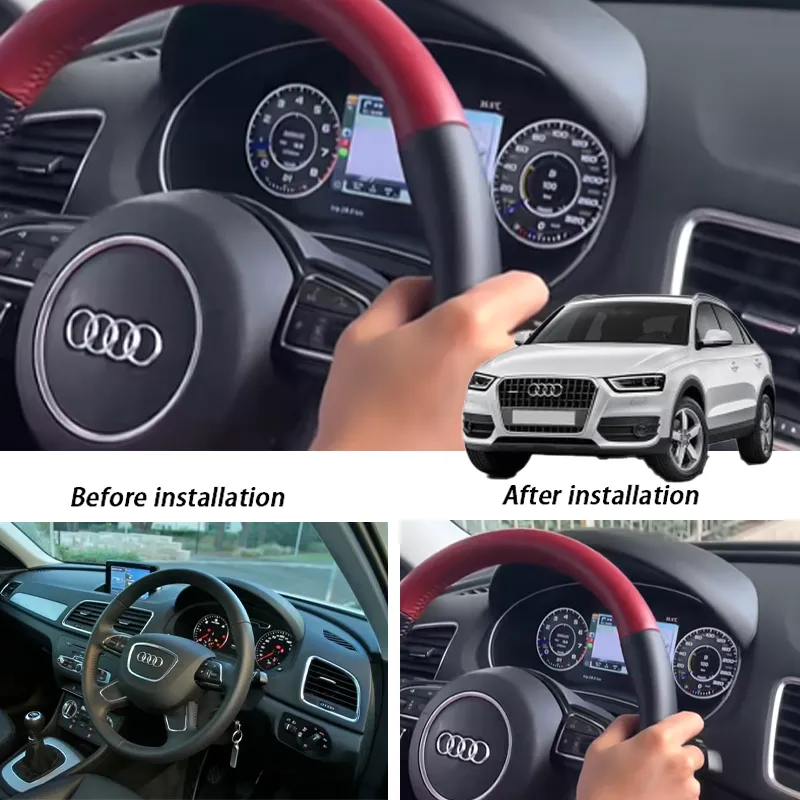
The clearest view of the upgrade direction: the original Q3 8U instrument area gains a cleaner digital cockpit layout while the cabin keeps its Audi-focused driver position.
Audi Q3 2012-2018 LCD Cluster: A More Modern Q3 8U Cockpit Every Drive
This Audi Q3 2012-2018 LCD Cluster changes the part of the cabin you look at on every drive. The 10.25-inch IPS display brings speed, RPM, fuel, trip data, supported warnings and compatible navigation content into a cleaner digital layout, giving the first-generation Q3 a more current cockpit feel without replacing the whole center console.
Modern Driver Display
The larger digital display gives the older Q3 instrument area a sharper visual center that feels more current every time the car is driven.
Driving Data in Front of You
Supported speed, RPM, fuel, temperature, trip and warning information remain easy to read in the driver’s natural sightline.
Vehicle-Specific Preparation
Real Product & Installed Views
See What the Audi Q3 8U Digital Cluster Upgrade Actually Changes
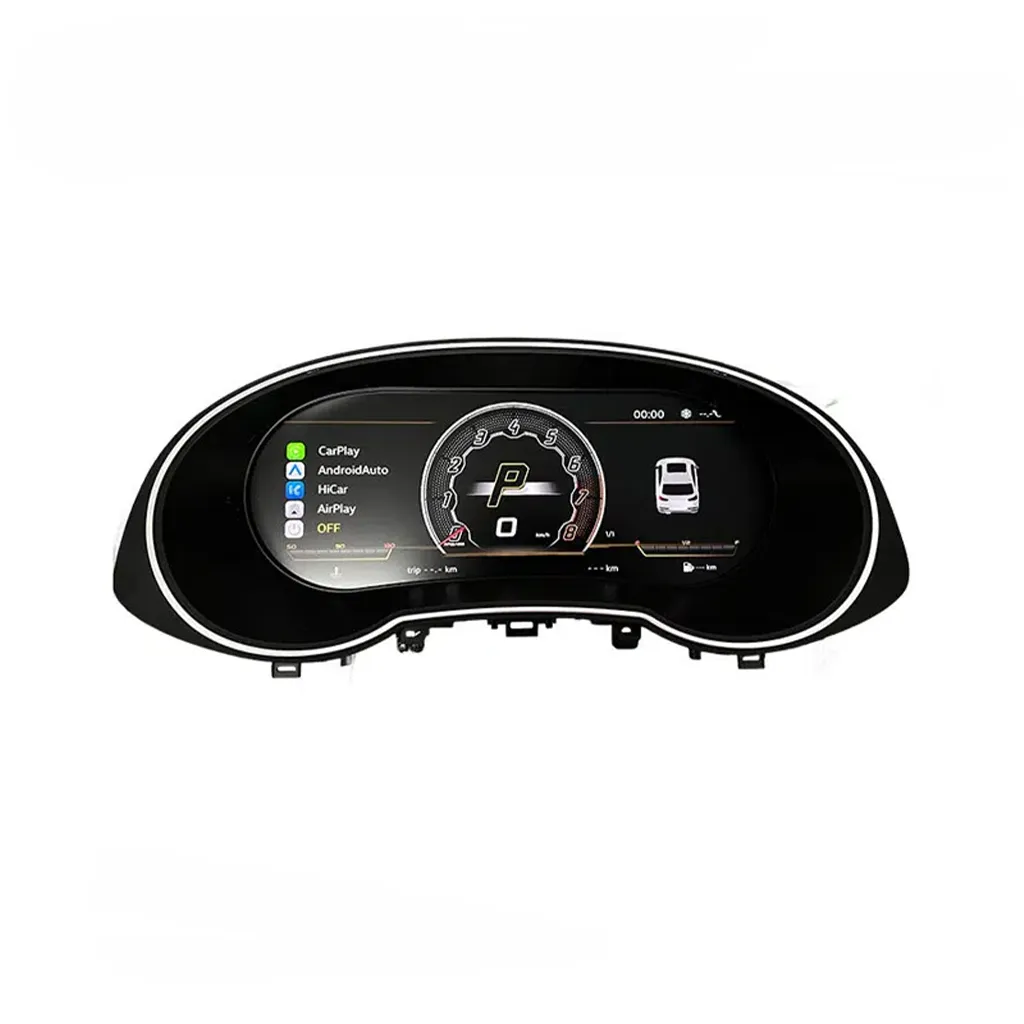
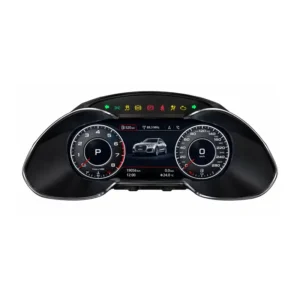
Q3 LCD Cluster Product Front View
The product face shows the instrument-cluster shape, screen position and driver-information layout used for this Q3 upgrade.
10.25-inch IPS Q3 8U Layout
Installed Audi Q3 Driver View
The installed view shows how the LCD cluster sits behind the steering wheel and keeps map and driving information directly in front of the driver.
Installed View Navigation
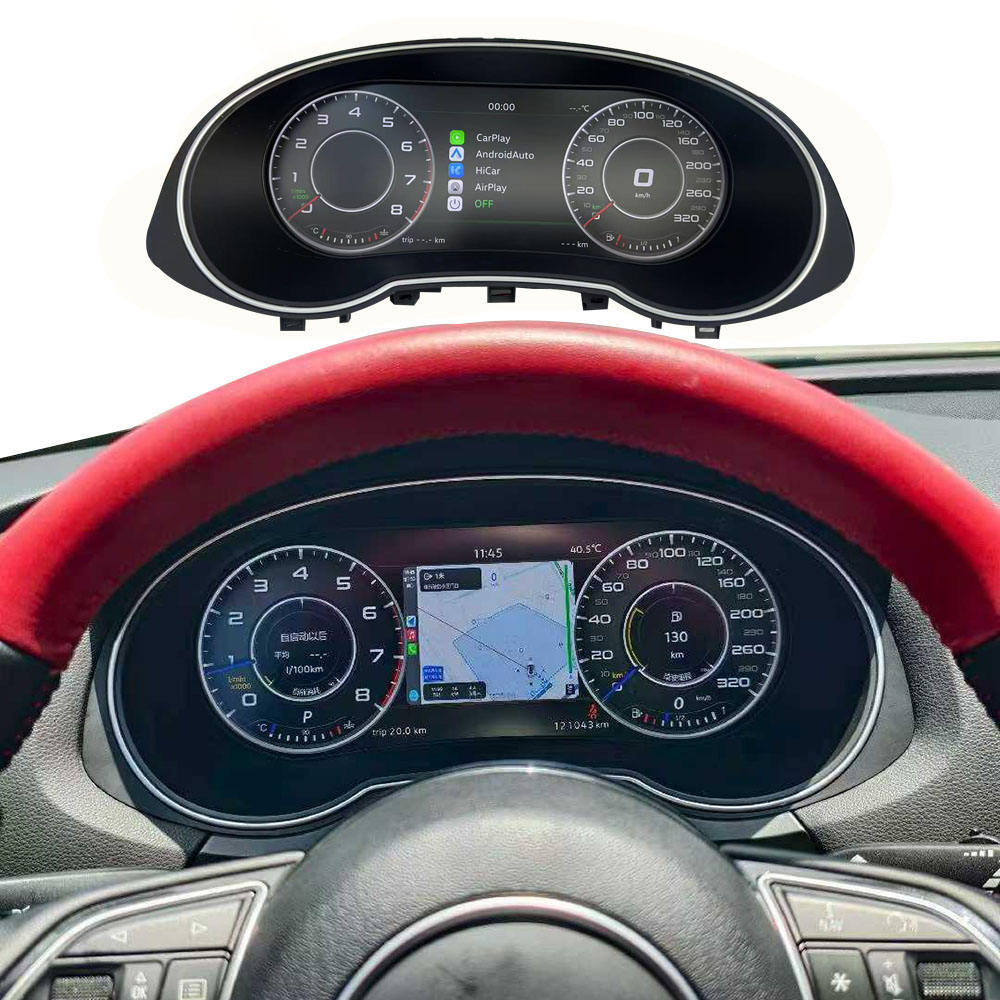
Driving Mode with Map and Gauge Data
The digital layout can combine speed, gear, map and gauge information in one display, giving the driver more useful information than a basic analog-dial layout alone.
Map + Gauges Driving Data
Vehicle Fitment
Will This Audi Q3 2012-2018 LCD Cluster Fit My Q3 8U?
Audi Q3 8U · First Generation
Primary fitment is the first-generation Audi Q3 8U compact SUV, with model-year registration varying by market.
What Original Audi Q3 Functions Stay Available After the LCD Cluster Upgrade?
Supported steering-wheel controls, core driving data, warning information and compatible vehicle-status information continue to work after the correct connection and setup. The goal is a more modern display without making the Q3 feel unfamiliar to operate.
Steering-Wheel Controls
Supported steering-wheel buttons continue to operate cluster views after the matched connection and setup are completed.
Vehicle Data
Supported speed, RPM, fuel level, trip data, temperature and other vehicle information remain visible through the digital interface.
Warning Information
Supported warning and vehicle-status information continues to be presented on the cluster rather than being sacrificed for the new display.
Factory Harness Protection
The matched connection path is designed around supported factory wiring without intentional wire cutting.
Android Head-Unit Sync
With a compatible source system, CAN-based synchronization can support Android navigation display on the cluster.
How Is the Audi Q3 8U LCD Cluster Installed?
Remove the Original Cluster
Remove the relevant trim and original instrument cluster with the appropriate tools so the replacement can be installed in the factory cluster area.
Configure and Test
Set the correct vehicle protocol, language, units and display mode, then confirm the supported controls and driving information.
Factory Wiring Protection
The installation design supports a clean connection path without unnecessary cutting, soldering or drilling, helping preserve serviceability around the original wiring.
More Ways the Audi Q3 Digital Cluster Improves Daily Use
Beyond the basic digital-cockpit conversion, the current Q3 cluster visuals show multiple display styles, supported vehicle information, source synchronization, language options and a Linux-based operating environment designed for regular instrument-cluster use.
Dial Style Choices
Choose a more familiar classic gauge look or a sportier digital presentation, letting the cockpit feel modern without forcing one fixed visual style.
Classic Sport
Multiple View Modes
Classic, navigation, economy, driving-assistance and sport-style modes give the driver more useful ways to organize the cluster for different journeys.
Navigation Economy Sport
Nine Daily-Use Display Technologies
The function overview brings together the display, vehicle-information, steering-wheel-operation and real-time-data capabilities that make the cluster useful beyond appearance alone.
HD Display Vehicle Data Steering-Wheel Operation
Compatible Vehicle Information Display
Supported fuel, warning data, speed, gear, trip and vehicle-status information can be presented through the cluster interface for real driving use.
Fuel Warnings Trip Data
Can CarPlay or Android Auto Content Appear in the Cluster?
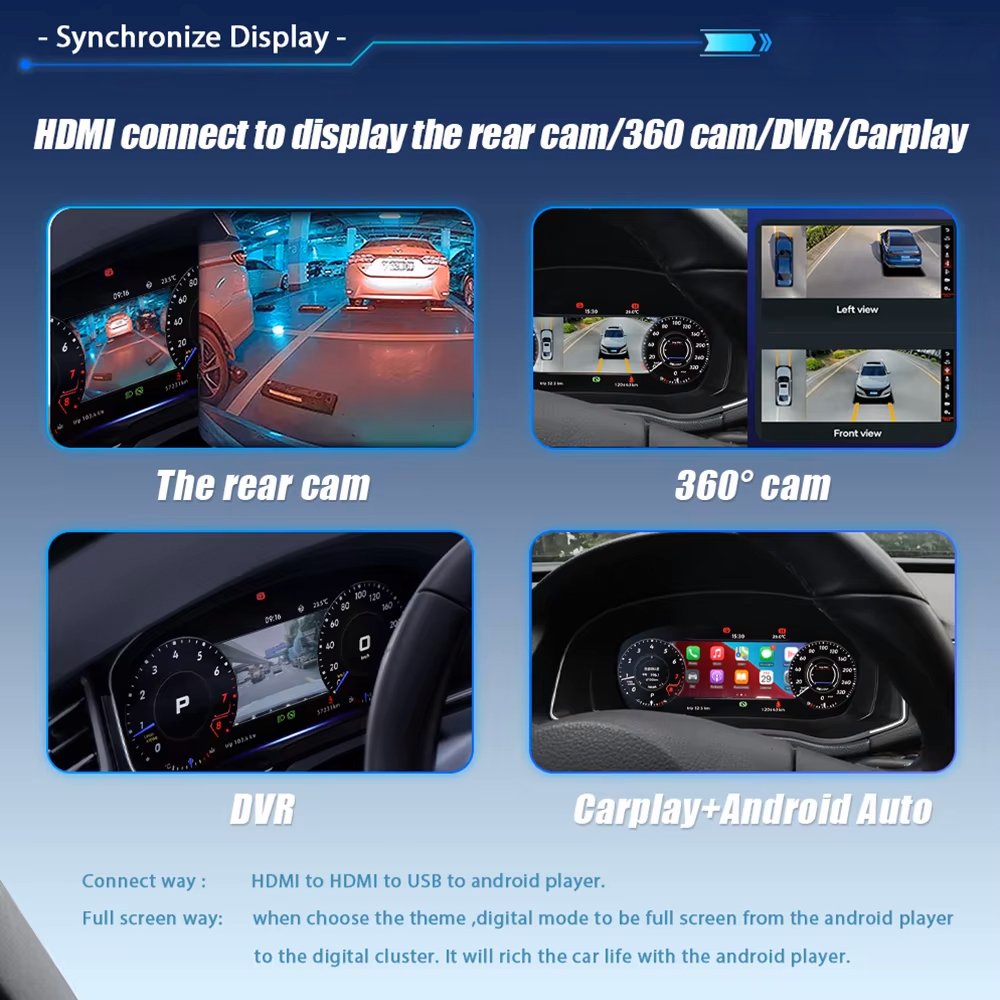
Yes, on equipped kits and compatible source systems. Supported rear-camera, 360-camera, DVR, CarPlay or Android Auto content can be synchronized to the cluster with the correct connection route.
CarPlay Android Auto Camera Source
Theme Color Personalization
Supported color settings let the driver adjust the cockpit mood while keeping the same physical dashboard structure.
Theme Colors Personalization
Fast Start-Up for Daily Use
A fast boot process supports daily use because the instrument display is needed every time the vehicle starts.
Fast Start Daily Use
Comfortable Night and Long-Distance Reading
Anti-glare and eye-comfort display design helps the cluster remain easier to read during night driving and longer journeys.
Anti-Glare Eye Comfort
Vehicle Status and Maintenance Information
Vehicle Status Maintenance
Single and Double Dial Display Options
Single Dial Dual Dial
Android Navigation and Head-Unit Content Sync
With the correct compatible source system, supported camera, DVR or Android navigation content can be routed to the cluster so more information stays in the driver display.
Android Navigation Head-Unit Sync
Linux System Stability
The lightweight Linux-based system is designed for stable instrument-cluster operation and responsive everyday use.
Linux System Stable Daily Use
Built for the Q3 8U Upgrade
Why This 10.25-inch LCD Cluster Is a Meaningful Audi Q3 8U Upgrade
This upgrade modernizes one of the most visible parts of the Audi Q3 8U cabin while keeping supported driving information and familiar vehicle interaction directly in front of the driver. The result is a Q3 cockpit that looks more current, presents daily information more clearly and feels noticeably upgraded every time you drive.
Modernize the Entire Driver View
Replace the older analog-style instrument area with a cleaner digital cockpit that immediately changes how the Q3 feels from the driver’s seat.
More Useful Information at a Glance
Supported speed, RPM, fuel, trip information, warnings and navigation content are presented more clearly in the driver’s natural sightline.
Keep the Q3 Familiar to Use
The upgrade is built around supported original steering-wheel interaction and vehicle information, giving the cabin a more modern display while preserving familiar Audi operation.
Audi Q3 2012-2018 LCD Cluster Specifications
10.25-inch IPS Digital instrument display
1920×720 High-definition cluster resolution
178° Wide viewing angle
60Hz / 5ms Display refresh / response
60+ Languages OSD interface support
Linux Instrument-cluster system
Vehicle Application
Audi Q3 8U, first generation, 2012–2018 supported configurations
Display Size
10.25-inch
Panel Type
IPS LCD
Resolution
1920×720
Viewing Angle
178°
Refresh / Response
60Hz / 5ms
Power Input
12V DC / 3A max
Maximum Listed Power
36W
Operating Temperature
-30°C to +85°C
OSD Languages
60+ languages
System
Linux-based instrument-cluster system
Display Modes
Supported Vehicle Information
Speed, RPM, fuel level, trip data, temperature, supported warnings and vehicle-status information
Steering Position
Screen Sync
Supported navigation, media, CarPlay / Android Auto, camera or Android head-unit content on equipped kits and compatible source systems
SKU
YB-123
Frequently asked questions
Will this audi q3 2012 2018 lcd cluster 10 25 digital instrument cluster fit my vehicle?
This audi q3 2012 2018 lcd cluster 10 25 digital instrument cluster listing is for 2012–2018 models. Compatibility can depend on your trim, original cluster and software version, so send us your vehicle details before ordering and we will help confirm.
Do you ship the audi q3 2012 2018 lcd cluster 10 25 digital instrument cluster to my country?
We ship from Texas City, Texas, to customers worldwide. Rates, delivery estimates and customs information are on our Shipping & Returns page.
Does the audi q3 2012 2018 lcd cluster 10 25 digital instrument cluster need coding or a professional installer?
Installation requirements vary by vehicle and kit version, so ask us what is needed for your car before you order.
What if the audi q3 2012 2018 lcd cluster 10 25 digital instrument cluster does not fit?
If a part does not fit your vehicle you can request a return for a replacement or a refund. See Shipping & Returns for the process, and our digital cluster buying guide for what to check first.


Reviews
There are no reviews yet.