Description
This mercedes ml gl digital cluster listing is for 2005–2010 models. Review the fitment and feature details below, and ask us to confirm compatibility with your vehicle before ordering.
Mercedes-Benz ML-Class W164 · GL-Class X164
Mercedes ML GL Digital Cluster for the 2005–2010 Luxury SUV Cabin
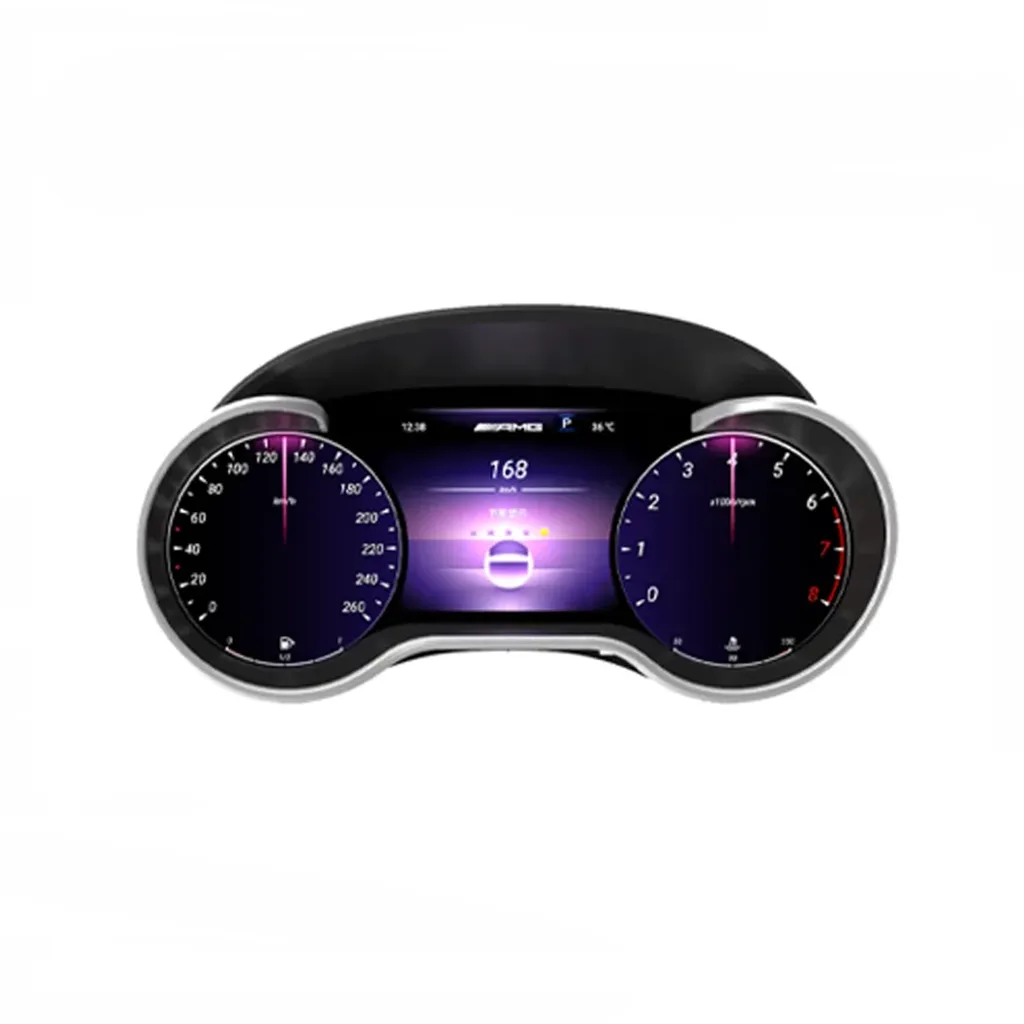
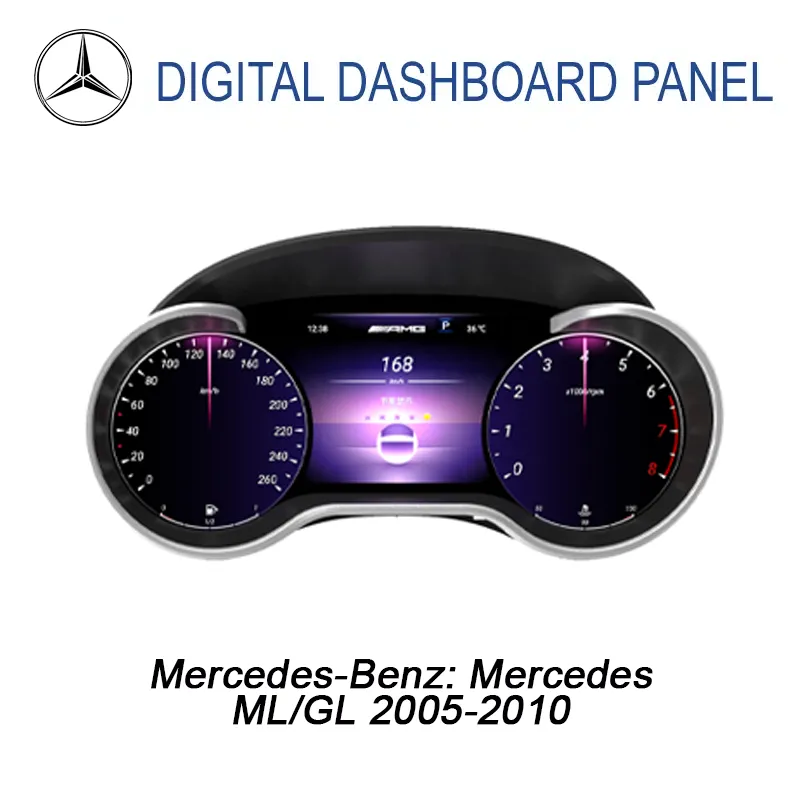
This Mercedes ML GL digital cluster upgrades supported ML-Class W164 and GL-Class X164 vehicles with a 12.3-inch LCD driver display, Wireless CarPlay, Android Auto and CANBUS-based vehicle data after correct version matching.
12.3″ Wide LCD Driver Display
1920×720 Clear Mercedes SUV Cockpit View
ML-Class W164 GL-Class X164 Mercedes ML GL instrument cluster upgrade Wireless CarPlay Android Auto CANBUS Data
Factory-style twin-gauge display balance
The wide LCD design keeps the older Mercedes SUV cockpit familiar while giving the driver a more modern display area for vehicle data, phone integration and daily driving information.
Mercedes SUV cockpit style Black cabin surface, silver trim and twin-gauge visual balance.
High-intent fitment route Built around W164 ML and X164 GL digital cluster searches.
CANBUS vehicle data Supports speed, RPM, fuel, temperature and warning data route.
Correct version matching Prepared around year, dashboard, cluster and connector confirmation.
What is this Mercedes ML GL digital cluster?
The Mercedes ML GL digital cluster is a 12.3-inch LCD instrument cluster upgrade for supported Mercedes-Benz ML-Class W164 and GL-Class X164 vehicles in the 2005–2010 route. The cluster adds selectable digital layouts, Wireless CarPlay, Android Auto and CANBUS-based vehicle information after correct version matching.
Compatibility First
A better driver display for older ML-Class and GL-Class owners
The biggest improvement is not only a newer-looking screen. This Mercedes ML GL instrument cluster upgrade changes the driver-facing display, adds modern phone integration, and keeps supported vehicle data visible through the matched CANBUS route.
Daily Readability
Cleaner speed and RPM display
The 12.3-inch LCD display gives the driver a wider and more modern visual area for speed, RPM, driving status and selected interface content.
Phone Integration
CarPlay and Android Auto value
Wireless CarPlay and Android Auto support give you a more current way to use navigation, calls and music in the upgraded digital cluster environment.
Vehicle Data
CANBUS information route
The supported CANBUS route helps the cluster communicate with vehicle information such as speed, RPM, fuel, temperature, warning prompts and related driving data after correct setup.
Interior Value
More current cabin impression
For a 2005–2010 Mercedes SUV owner planning to keep the vehicle, the upgrade makes the cabin feel newer without replacing the whole SUV.
Version Logic
Prepared by vehicle details
Clean Install
Matched wiring approach
The intended route uses matched wiring and interface connection without intentionally cutting supported factory wiring. This protects the vehicle and makes troubleshooting more controlled.
Fitment Focus
Mercedes W164 X164 digital cluster fitment route
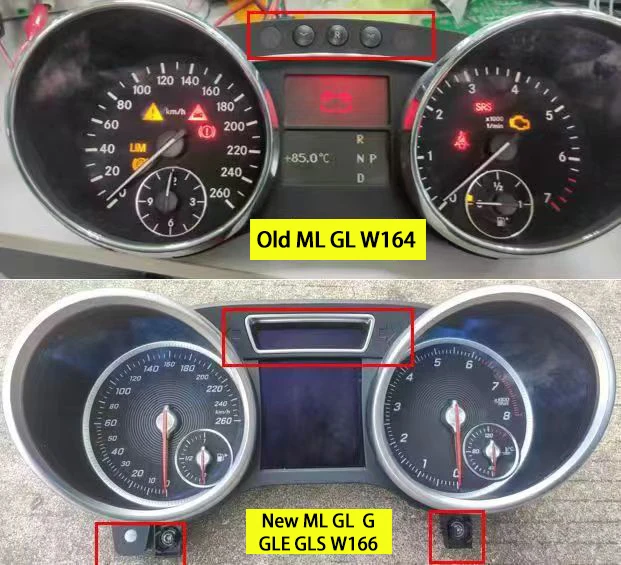
The product direction is ML-Class W164 and GL-Class X164. Because Mercedes SUV model years differ by market, model name alone is not enough for safe compatibility confirmation.
ML-Class W164
Mercedes ML W164 digital cluster route
The ML-Class W164 is the main mid-size SUV route for this product.
GL-Class X164
Mercedes GL X164 digital cluster route
The GL-Class X164 route overlaps this product family, but some markets use different model-year labels.
Later ML / GL Route
W166 / X166 needs a different check
Later 2012–2015 ML/GL vehicles usually use a different dashboard and cluster route.
Mercedes ML GL digital cluster specs
Display 12.3-inch IPS LCD driver display
Resolution 1920 × 720
Refresh Rate 60Hz listing
Response Time 5ms listing
System Linux-based platform
CPU T507 Plus quad-core 1.8GHz
Connectivity Wireless CarPlay / Android Auto
Vehicle Data CANBUS real-time data route
Power 12V DC / 36W max
Operating Temperature -30°C to +85°C
Storage Temperature -40°C to +90°C
Test the cluster before closing the dashboard
The correct installation process is not only about fitting the screen into place. Your installer should complete function testing first, because digital cluster issues are easier to solve before trim panels are fully restored.
Step 1
Check the original cluster and connector
Step 2
Connect harness and vehicle interface
Use the matched harness and CANBUS route.
Step 3
Power on and check core data
Check speed, RPM, fuel, temperature, warning data and steering-wheel control response before the dashboard is fully reassembled.
Step 4
Confirm display themes and settings
Confirm the preferred display style, language, unit settings and interface behavior.
Step 5
Test CarPlay and Android Auto
Pair the phone and confirm navigation, calls and music behavior. This ensures the digital cluster upgrade is useful in daily driving, not just visually modern.
Step 6
Frequently asked questions
Will this mercedes ml gl digital cluster fit my vehicle?
This mercedes ml gl digital cluster listing is for 2005–2010 models. Compatibility can depend on your trim, original cluster and software version, so send us your vehicle details before ordering and we will help confirm.
Do you ship the mercedes ml gl digital cluster to my country?
We ship from Texas City, Texas, to customers worldwide. Rates, delivery estimates and customs information are on our Shipping & Returns page.
Does the mercedes ml gl digital cluster need coding or a professional installer?
Installation requirements vary by vehicle and kit version, so ask us what is needed for your car before you order.
What if the mercedes ml gl digital cluster does not fit?
If a part does not fit your vehicle you can request a return for a replacement or a refund. See Shipping & Returns for the process, and our digital cluster buying guide for what to check first.


Reviews
There are no reviews yet.