



Description
VW Touareg 7L · 2003–2010
VW Touareg Digital Cluster 2003–2010: A 12.3-Inch Virtual Cockpit for the Touareg 7L
The VW Touareg Digital Cluster replaces the original Touareg 7L instrument cluster with a 12.3-inch LCD virtual cockpit adding Wireless CarPlay and Android Auto with map display on the instrument cluster directly in the driver’s normal line of sight.
- A modern Touareg 7L cockpit in the original instrument position
- 12.3-inch LCD driver display for everyday driving information
- Wireless CarPlay and Android Auto bring route guidance closer to the road
- Touareg 7L-specific fit for LHD and RHD vehicles
12.3″ Digital Cockpit LCD virtual cockpit
Wireless CarPlay Plus Android Auto support
Touareg 7L Fit 2003–2010, LHD / RHD
A More Modern Touareg Cockpit Every Time You Start the Car
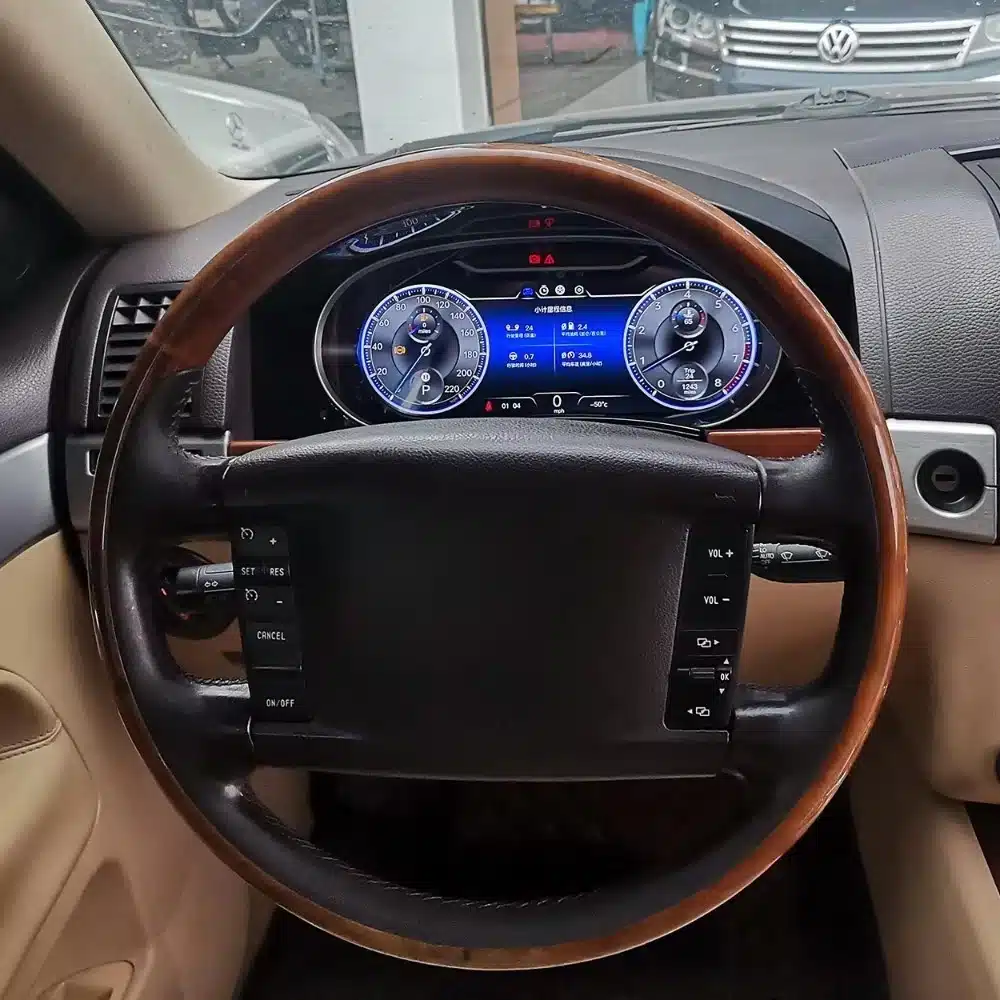
This upgrade changes the part of the Touareg 7L interior you look at on every journey: the driver instrument area. It brings a 12.3-inch digital layout, Wireless CarPlay, Android Auto and everyday vehicle information into the original cluster position.
Maps Where You Naturally Look CarPlay map sync can place route information in the driver’s normal instrument view.
A Newer Cockpit Every Day The visual change happens in the dashboard area you see on every drive, not in a hidden specification sheet.
Vehicle Information Stays Central Speed, RPM, warnings and supported vehicle information remain central to the digital cluster.
No Tablet-Look Add-On The display occupies the original Touareg instrument position for an integrated Volkswagen-style result.
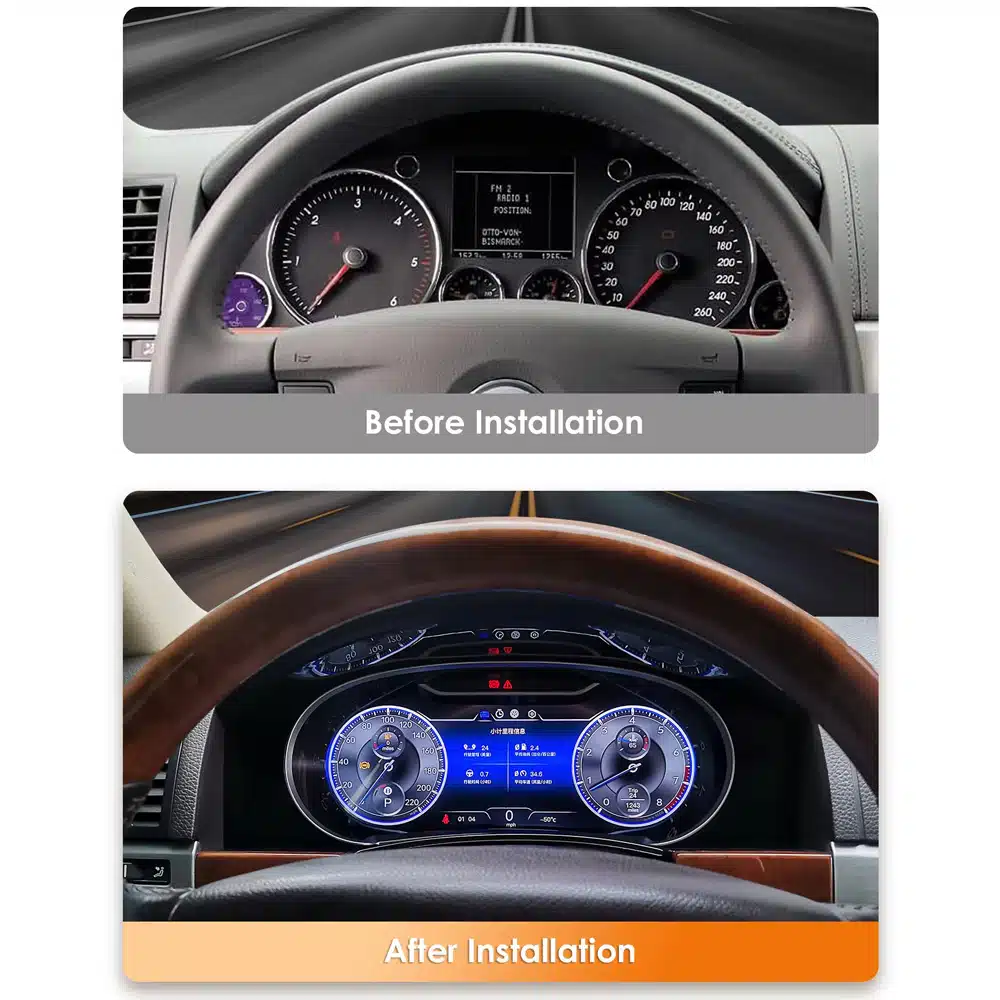
From Analog Touareg to Digital Cockpit
What Does a VW Touareg Digital Cluster Change in Daily Driving?
It turns the analog gauge area of the 2003–2010 Touareg 7L into a 12.3-inch LCD driver display with driving data and Wireless CarPlay map sync.
You keep the same Touareg, steering wheel and dashboard architecture, but the main driver display no longer feels like the oldest part of the cabin.
For owners planning to keep a Touareg 7L for several more years, the upgrade keeps adding value because the result is visible every time the car is driven.
12.3-Inch Digital Driver Area Replaces the analog gauge presentation with a digital cockpit view.
CarPlay Map Sync Brings CarPlay map information into the driver display.
Original Cluster Position Modernizes the Touareg without adding a separate tablet-style screen.
Wireless CarPlay + Navigation
Can the VW Touareg Digital Cluster Show CarPlay Navigation Maps?
Yes.
Wireless Connection Connect a compatible iPhone by Wireless CarPlay, or use Android Auto with an Android phone.
Useful Beyond the Theme Map display adds a repeated daily-use benefit to the digital cockpit.
12.3-Inch Driver Display
What Does the 12.3-Inch VW Touareg Digital Cluster Add Beyond Appearance?
The 12.3-inch LCD gives the Touareg 7L a larger digital driver area for gauges, supported vehicle information and map presentation.
Because the display is directly in front of the driver, the extra visual area is used where it matters most during normal driving rather than simply making a dashboard screen larger.
In a 2003–2010 Touareg interior, replacing the analog instrument area is one of the most noticeable cockpit changes, without changing the basic dashboard position.
12.3-Inch LCD Adds more visual room for gauges and supported vehicle information.
Driver-Focused Position Keeps key information directly ahead in the normal driving view.
What Original Touareg Information Remains After the Digital Cluster Upgrade?
The retrofit keeps speed, RPM, warnings and supported vehicle information as core functions of the driver display, and the original instrument mainboard is retained and reconnected in the passenger-side glovebox area. This keeps the upgrade tied to the original vehicle information route instead of treating the cluster as a separate generic screen.
Speed & Driving Data Digital speed and applicable core driving information remain in the driver-focused display.
RPM & Vehicle Data RPM and supported vehicle data remain part of the cluster’s normal driving information.
Original Mainboard Retained The original instrument mainboard is kept, mounted on a support and connected again, so the retrofit continues through the intended Touareg route.
Vehicle-Specific Installation
Does the VW Touareg 7L Digital Cluster Require Coding?
This Touareg 7L 2003–2010 route uses vehicle-matched connectors with no planned wire cutting, and the original instrument mainboard is retained.
The original cluster surround and brackets are removed, the new LCD cluster is connected and mounted, and the extension cable is routed to the passenger side, where the retained original mainboard is reconnected in the glovebox area.
STEP 01 Confirm the Touareg Route Use the matched model, year, LHD/RHD and original-cluster information.
STEP 02 Remove the Cluster Surround Remove the steering-wheel-area trim, side and upper trim, screws and the two instrument mounting brackets.
STEP 03 Mount and Route Connect and mount the new cluster, route the extension cable and reconnect the retained original mainboard in the glovebox area.
STEP 04 Install and Test Verify the core display, vehicle data, warnings and the CarPlay map function before closing the dashboard.
Final Function Test
What Should Be Tested After Installing the VW Touareg Digital Cluster?
Before all dashboard trim is reinstalled, verify startup, speed, RPM, applicable gear and vehicle data, warning information, brightness and the CarPlay map function.
Driving Data Verify speed, RPM, applicable gear information and normal startup behavior.
Display & Brightness Confirm brightness and the display presentation.
CarPlay & Maps Complete the instrument test, then verify Wireless CarPlay and the map display on the cluster.
Driver Display · Maps
What Does the VW Touareg Digital Cluster Show While You Drive?
The 12.3-inch display brings speed, RPM, warnings and supported vehicle information together in one digital driver view.
When navigation is the priority, CarPlay map sync places route guidance in the same view, so you can keep your eyes closer to the road.
The benefit is a cockpit that matches how you use the Touareg today, without replacing the dashboard around it.
Driving Information Speed, RPM and supported vehicle data in the driver view.
Map View CarPlay map sync gives route guidance a driver-view position.
What’s in the Box
What Comes with the VW Touareg Digital Cluster?
The cables and frame parts are matched to the Touareg 7L route, so the new cluster sits in the original instrument position and connects without planned wire cutting.
Matched Cables Two power cables and a USB cable for the Touareg 7L route.
Frame & Fixings Frame accessories and screws for the original instrument position.
Real Motoway Upgrade Product Reference
Is This the Actual VW Touareg Digital Cluster Product?
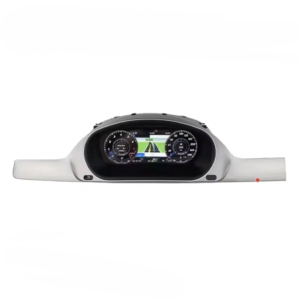
Real Product View Shows the actual cluster form and screen proportions used for this route.
Specifications / Product Parameters
What Are the Main VW Touareg Digital Cluster Specifications?
The core configuration is a 12.3-inch LCD digital instrument cluster for the VW Touareg 7L 2003–2010 with Wireless CarPlay map sync, Android Auto and supported vehicle information.
Display 12.3-inch LCD Cluster
Vehicle VW Touareg 7L
Navigation Wireless CarPlay Map Sync
Model Years 2003–2010
Driver Information Digital Speed Display
Driving Data RPM & Supported Vehicle Data
Drive Side LHD / RHD
| Product Type | Vehicle-specific digital instrument cluster / virtual cockpit retrofit |
|---|---|
| Supported Vehicle Route | Volkswagen Touareg 7L, 2003–2010 |
| Display | 12.3-inch LCD digital driver display |
| Package | Cluster, two power cables, frame accessories, USB cable, screws |
| Original Mainboard | Retained and reconnected in the glovebox area |
| Phone Connection | Wireless CarPlay / Android Auto |
| Navigation | Wireless CarPlay with map sync on the instrument cluster |
| Display Content | Speed, RPM, warnings, supported vehicle data and map view |
| Vehicle Information | Digital speed, RPM, warnings and supported vehicle data |
| LHD / RHD | Supported when the correct Touareg route is confirmed |
| Installation Route | Cluster-surround removal, new-cluster mounting, extension-cable routing, original-mainboard retention and full function testing |


Reviews
There are no reviews yet.